
ES-DE 3.5.0 Makes Android Handhelds Easier to Live With
EmulationStation Desktop Edition (ES-DE) 3.5.0 is out, bringing better support for Android devices with two screens as well as more emulator integrations and some useful changes to RetroArch launching. Released on September 30, the update focuses on the small things that can make a handheld setup so unnecessarily frustrating.
For me, those are often the changes that matter most. A beautiful library is nice, but I also want selecting a game to actually launch it (and on the right screen), without the session side-questing into yet another configuration project.
Word two about ES-DE
ES-DE is a frontend for organizing and launching your games. It puts different systems and applications into one interface, with controller navigation, artwork, descriptions and video previews.
The emulators still do the actual work, it’s just easier to have ES-DE provide the library and the connections needed to launch them. And this is what most of us want, key features being eye candy, functionality and if possible painless scraping – I mean come on, those are reasonable terms.
If you are starting from scratch, I have already covered the basics in my EmulationStation setup guide for Android, including ROM folders, emulator configuration and adding artwork. That is a useful starting point before getting into what 3.5.0 changes.
Dual screen support
One of the main additions in the 3.5.0 release notes is screen selection for individual systems and games on Android devices with two displays. There is now a system selection submenu under Other settings, while individual games can override that choice through the metadata editor. I like this because a single global setting is an extremely blunt solution.
A smaller RetroArch change
ES-DE can now check whether the required RetroArch core is installed before attempting to launch a game. The option is called Query installed RetroArch cores (Experimental) and needs to be enabled in Other settings.
A core is the emulation component RetroArch uses for a particular system. If it is missing, a launch attempt can leave you looking at a black screen (hence all the reddit “help black screen” posts). Checking first gives the frontend a chance to explain the problem instead.
The developer also clarified in the release discussion that this remains optional while it receives broader testing across Android devices.
For me, this is one of the most sensible additions here. A clear missing component message is useful. A black screen mostly invites guessing.
The Google Play RetroArch build gets a compatibility option
There is also a new Use RetroArch in SAF mode (Not recommended) setting for the recent Google Play release of RetroArch.
SAF means Storage Access Framework, Android’s mechanism for granting access to selected files and folders. That release uses a different storage access path, so ES-DE needs corresponding launch commands.
The release notes recommend getting RetroArch from its own website instead. They also warn that enabling SAF mode for a RetroArch installation that does not use it will break launching.
More of the Android ecosystem fits into the library
The changelog lists integrations for NetherSX2 variants, ARMSX3 and several other Android projects. It also adds a Native port launch option and import rules for the ports system.
That last part catches my attention. Android handheld libraries increasingly include native ports alongside emulated games, and I would like both to feel equally at home in the same interface. The release also enables PlayStation 4 and Atari Jaguar CD systems on Android.
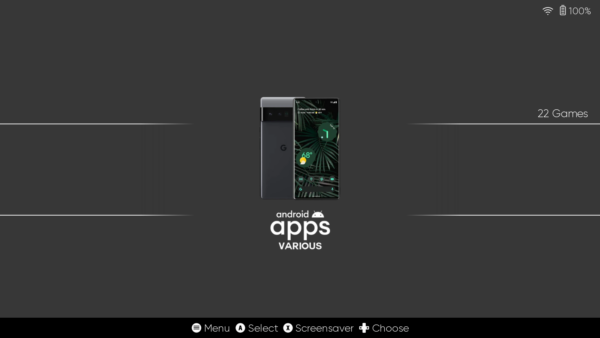
However, what I still miss is a proper Android app drawer, something like what Daijishō offers. ES-DE does let you import Android apps through its built-in Game importer, so Chrome, Photos and other everyday apps can be launched from the frontend. But that list does not automatically update when you install or remove apps. It works, I just want a simpler way to access everything without maintaining another list or switching back to my regular launcher.
What stands out to me
My main takeaway from 3.5.0 is the attention to what happens between choosing a game and playing it. Screen selection, missing core checks and updated launch integrations all work on that part of the experience.
I would not present this as an emulator performance upgrade, and these release notes are not a substitute for testing on a particular handheld. But as a frontend update, the direction makes sense to me. Less failed launches? Yes please.
The Android edition is a paid app available through Patreon, Samsung Galaxy Store and Huawei AppGallery. The desktop editions remain free.
Links
Dejan Balalovski
Pingback: CHD Explained: Save space on your Android - AndroGaming.com