
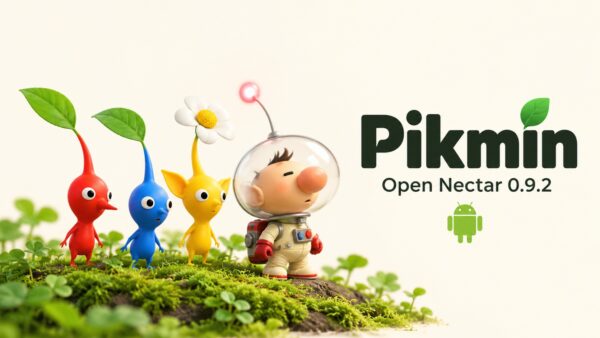
Pikmin comes to Android through Open Nectar, with a new speedrun mode in 0.9.2
Pikmin is on Android through Open Nectar, a community source port of Nintendo’s original GameCube game. It includes touch controls, controller support and widescreen, while version 0.9.2 adds a dedicated speedrun mode alongside gameplay options and fixes.
What caught my attention here goes beyond the speedrun update. We haven’t covered Open Nectar on AndroGaming before, so I want to give the project itself some space first. If you have never played Pikmin, a list of timer features probably won’t explain why this port is interesting.
What is Pikmin?
Pikmin mixes exploration, light strategy and time management. You play as Captain Olimar, a tiny astronaut stranded on an unfamiliar planet after his spaceship breaks apart. Your job is to recover its scattered parts with help from the Pikmin, small plant creatures that follow your commands.
They fight enemies, carry objects, build bridges and clear obstacles. Different colours have different abilities: red Pikmin resist fire, yellow Pikmin can handle bomb rocks and be thrown higher, while blue Pikmin can enter water.
The interesting part is deciding how to divide your workforce. You might send one group to carry a ship part while another clears a route, then return to collect everyone before sunset. Pikmin left behind can be lost, and Olimar has a limited number of days to escape.
That combination is what I find appealing about the idea: a friendly-looking world where every little expedition becomes a planning problem. If you ever played Overlord 1 and 2 on PC/Consoles, that’s where we are.
A native port built from reconstructed code
Open Nectar builds on projectPiki’s Pikmin decompilation. That work reconstructs source code from the original game, giving developers a foundation they can compile and adapt for other platforms.
Open Nectar supplies the platform layer around it. GameCube graphics commands are translated into OpenGL, with OpenGL ES used on Android, while the port handles the host device’s input and audio.
This is the technical part I find most interesting. The reconstructed game code becomes the basis for an application compiled for your device, with the surrounding systems adapted to make it work there.
You still provide your own game data, as always. The project’s code does not replace the models, textures, music and other assets extracted from a supported Pikmin disc image.
What changes when you play?
The port offers widescreen and selectable 30, 60 or 120 FPS modes. The higher modes are experimental. Controller support and adjustable touch controls make Android handhelds an interesting fit, though performance on individual devices still needs testing.
For me, the handheld angle is the main attraction. I would be more interested in comfortable controls and consistent performance rather than selecting the highest FPS option.
The 0.9.2 speedrun update
The new Speedrun mode has a timer, daily splits an input display and saved personal records. Runs use a separate memory card, keeping your normal saves separate.
It also temporarily restores the original gameplay rules. Gameplay modifications are disabled, the original Pikmin limit and day length return and simulation runs at 30 FPS. Graphics settings, texture packs and button mappings are available.
The timer includes loading and cutscenes, starts with the new game and stops when the Secret Safe is collected. Daily splits show where you gained or lost time against your best run. Your regular settings return when you leave the mode.
I like that separation. You can keep the port’s extra QoL improvements for ordinary play, then start a timed run without manually undoing everything.
Improvements for normal play too
Outside speedrun mode, Start can now skip cutscenes (finally). Optional additions include hiding Olimar’s gameplay text boxes and a Bomb Control command for yellow Pikmin carrying bomb rocks.
The update also fixes map crashes with more than 100 Pikmin, squad members dropping out during swarming and a spinning camera in the Whimsical Radar cutscene. Several menus now follow the original game’s visual style.
I would give those fixes as much attention as the new mode. A timer is a nice addition, but keeping your squad together and opening the map without a crash is imprtanter 🙂
Getting started on Android
The Android requirements are Android 10 or newer, ARM64, OpenGL ES 3.0 and about 1 GB of free internal storage.
Install the APK and select your own Pikmin USA Rev. 1 or European ISO/GCM. The app verifies the image and extracts its assets directly on the device. Compressed RVZ, WIA and GCZ images need conversion on a computer first.
Open Nectar remains experimental. What makes it worth covering for me is that there is already a public project with Android setup instructions, a growing set of features and specific fixes to follow.
Links
- Open Nectar project and setup instructions
- Downloads
- Version 0.9.2 release notes
- Original Pikmin decompilation
Dejan Balalovski