
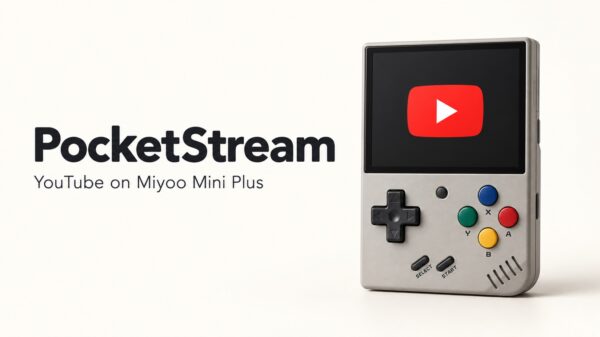
PocketStream brings YouTube to the Miyoo Mini Plus, because the little thing isn’t done yet
The Miyoo Mini Plus can now add YouTube to its list of extracurricular activities. PocketStream is an experimental, unofficial YouTube client for OnionOS, offering a home feed, video search and playback without a Google login.
Look at the little thing go. We gave it a library of retro games, and apparently it still wanted another job.
I tried version 1.0.22 and got it working, although installation involved a couple of detours worth explaining before you follow along.
How it works
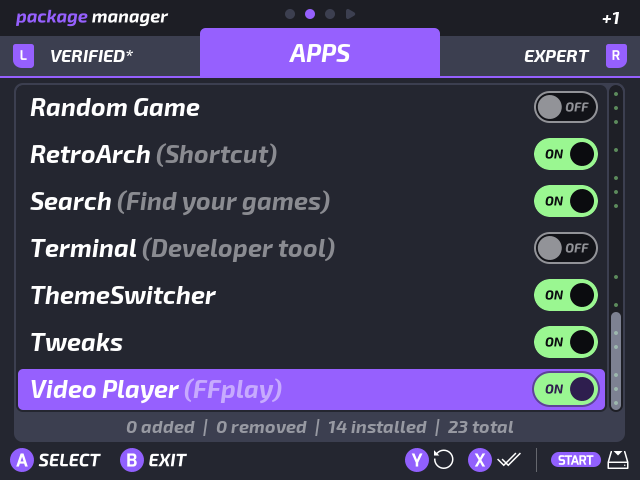
PocketStream uses Piped to find videos and YouTube’s public Android player response to obtain playback information. OnionOS’s Video Player (FFplay) package handles playback, so enable that first.
The client provides a non-personalized home feed, quality selection and a virtual keyboard operated with the handheld’s buttons. You don’t need a Google account or your own server. Local search history saves you from entering the same searches again.
Typing video titles with a D-pad might not be the future of entertainment, but I admire the commitment.
Getting it onto the Miyoo
Follow the installation instructions, with these practical details in mind:
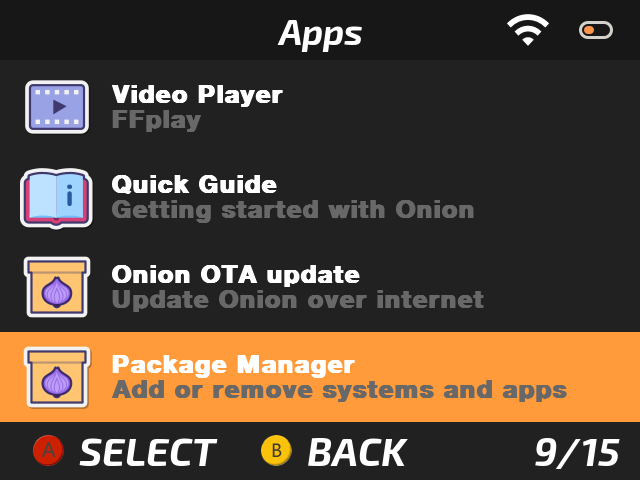
- Enable Video Player (FFplay) in OnionOS.
- Download
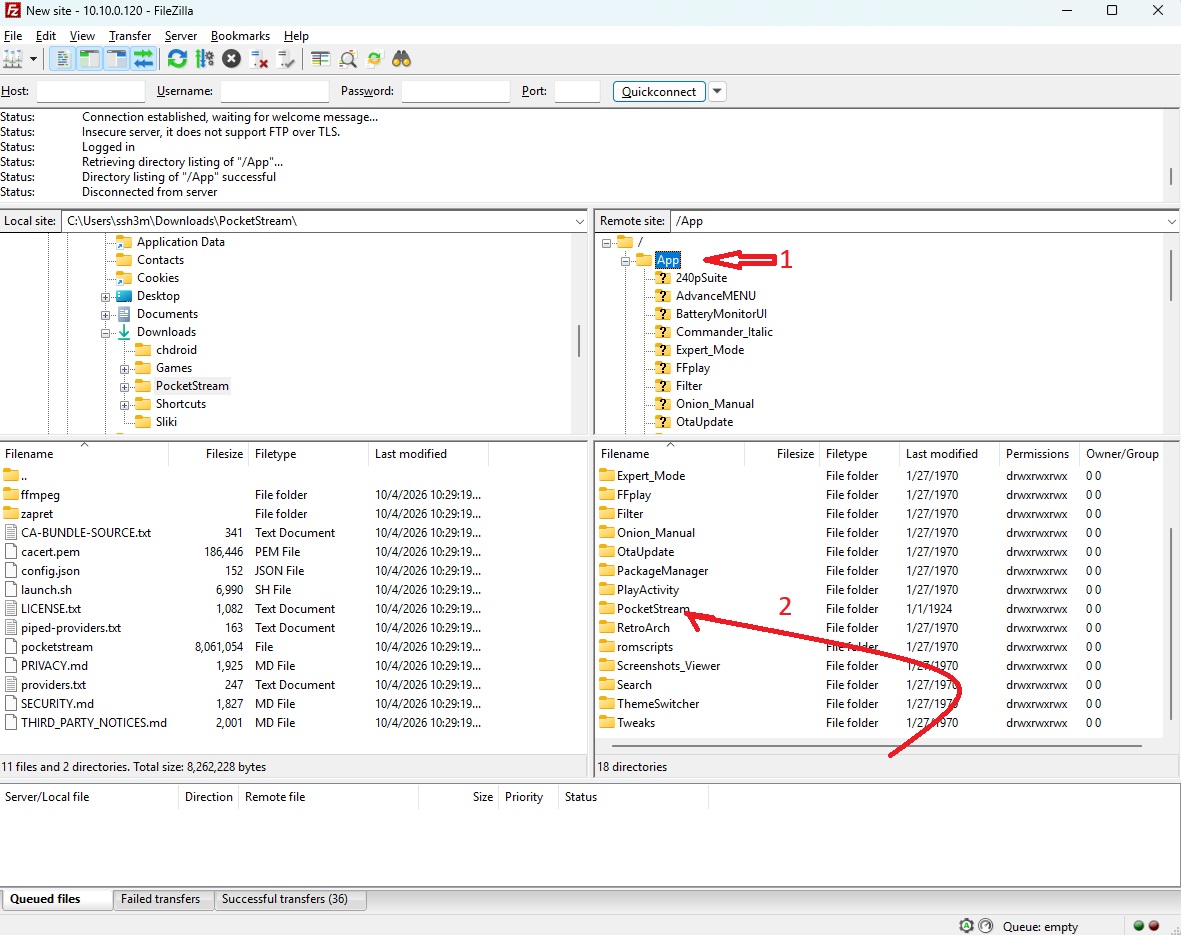
PocketStream-OnionOS-<version>.zipand its.sha256file from GitHub Releases, then verify the checksum. Choose the packaged release rather than GitHub’s source code ZIP. - Extract the archive to the SD card root. The resulting folder should be
App/PocketStream, withlaunch.shand thepocketstreamexecutable directly inside it. - Safely return the card to the Miyoo, start it and open Apps → PocketStream, with Wi-Fi connected.
The documentation calls the location /mnt/SDCARD/App/PocketStream. That is the path as seen by OnionOS. You don’t create extra folders named mnt and SDCARD on your card.
If you copy the files while the handheld is running and the app doesn’t appear, restart it and check Apps again. In my case, the entry was visible; launching it was the actual problem.
FileZilla users, check your transfer mode
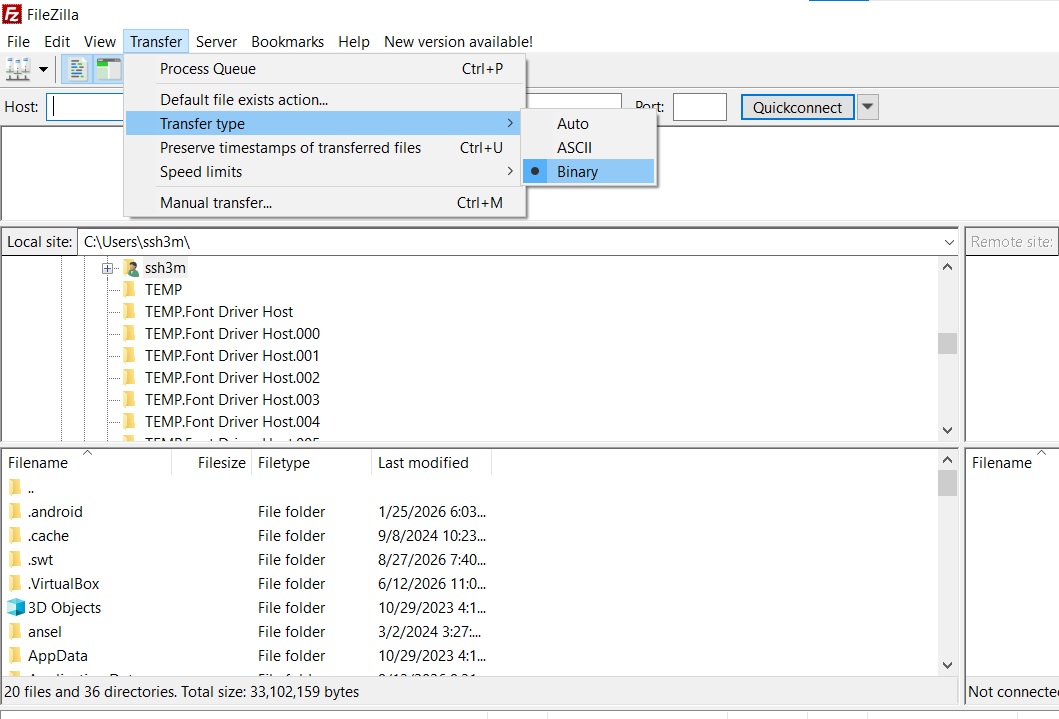
I transferred the files over FTP using FileZilla. PocketStream appeared in Apps, but selecting it immediately sent me back to the menu.
The pocketstream.log file inside its folder contained:
syntax error: unexpected "("Re-uploading the pocketstream executable with Transfer → Transfer type → Binary selected fixed the launch problem. If you use FileZilla, select Binary mode before uploading the release files.
If every search fails, check the clock
My next obstacle was “SEARCH FAILED TRY R1”, even when searching for something as simple as “music”.
Correcting the Miyoo’s date and time through Apps → Clock got searches working. Check the year as well as the time before assuming the service is down.
An incorrect clock can interfere with secure connections. PocketStream’s documentation describes limited handling for a clock that is slightly behind a server certificate, but that is no substitute for setting the date properly.
If searches still fail with the correct time, inspect network.log and pocketstream.log in App/PocketStream. Public providers can become unavailable, so the same message won’t necessarily have the same cause every time.
One more thing about screenshots
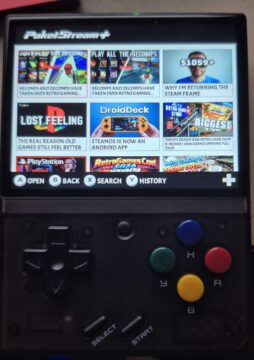
PocketStream assigns MENU to leaving a video or exiting the app. During my testing, using OnionOS’s MENU + POWER screenshot shortcut exited PocketStream instead.
I haven’t confirmed a reliable workaround, so keep that in mind if you want to capture the interface. A photo of the screen may be the easier option.
Reliability still experimental
PocketStream remains an early public MVP, with hardware testing currently covering Miyoo Mini Plus running OnionOS. Some videos may not start. Live streams, premieres, DRM content and videos requiring sign-in are unsupported. There are no downloads, and it does not bypass access restrictions.
No Google login also doesn’t mean anonymous browsing. Third-party providers may see your IP address, search terms and requested video IDs, as the project’s privacy information explains.
Your phone is probably the more sensible YouTube player, but I don’t think that’s the point. Sometimes you just want to look at a tiny retro handheld playing a video and say, “Good job, buddy.”
Links
Dejan Balalovski