
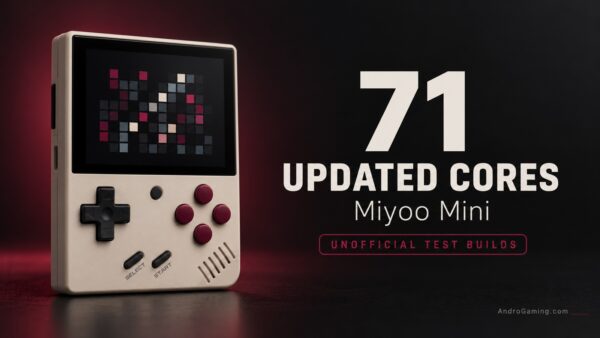
71 updated RetroArch cores enter testing on Miyoo Mini
The Miyoo Mini family has a new batch of emulator cores to experiment with. RedOnion maintainer Amiga500 has shared 71 unofficial RetroArch core builds, compiled from newer upstream code, and is asking owners to help test them on real hardware.
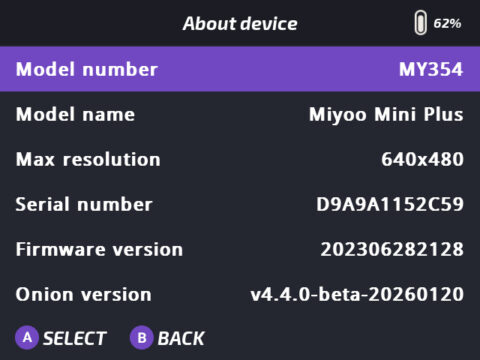
These are separate test downloads, not an official Onion update or a bundled RedOnion upgrade. They target RedOnion’s RetroArch 1.22.2, and the maintainer has not confirmed compatibility with standard Onion or other firmware.
Newer cores
RetroArch provides the interface and shared features and its cores do the emulation. Updating a core can change game compatibility, sound, available settings and performance without replacing the rest of the operating environment.
According to the announcement, many cores currently bundled with Onion and RedOnion date from 2020–2023. This pack rebuilds a broad selection from newer upstream sources using the Miyoo Mini toolchain for its Cortex-A7 processor. The maintainer describes them as unmodified upstream code.
Early reports are promising
An edit to the post credits u/kicksoda with initial testing. SNES through Snes9x 2010, Game Boy, Game Boy Color, Atari Lynx and NES reportedly run correctly with the updated cores.
Snes9x 2010 also reportedly works with RetroAchievements. Its fast-forward performance was approximately 130 fps with the updated build versus 135 fps previously, suggesting similar speed in that particular test, with a small decrease.
Mind your saves
The biggest practical warning concerns existing saves.
Save states capture an emulator’s internal state, and substantial changes to a core can make older snapshots incompatible. The maintainer warns that existing RetroArch slots, automatic states and GameSwitcher snapshots will most likely fail to load with the updated builds.
Make a normal in-game save before changing cores, and back up the complete Saves folder. In-game saves usually transfer more reliably, but the author does not guarantee that every format remains compatible after several years of upstream changes. Keep copies of the original core files too. Returning to the previous setup may require restoring both the old emulator and the corresponding saves.
Hardcore achievements
There is a separate resume issue that should not be confused with broken save-state compatibility.
RetroAchievements hardcore mode blocks loading save states. With hardcore enabled, GameSwitcher cannot restore a saved snapshot, so a game may start from the beginning instead.
The post explains that this is expected RetroArch behavior, and not a fault introduced by the test builds. To load states, pause hardcore mode for the session through Quick Menu → Achievements → Pause Hardcore Mode, or disable it.
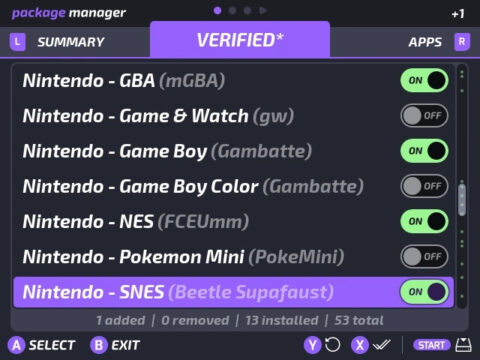
For SNES achievements, the author recommends Snes9x or Snes9x 2010. The default Supafaust core reportedly marks achievements as unsupported in the existing setup too, and Supafaust is not updated in this collection.
What has been left out?
Arcade cores including FBNeo, FBA 2012 and MAME 2000/2003+ remain unchanged because emulator updates can alter the ROM sets they expect.
EasyRPG, ScummVM and SquirrelJME are being handled separately because they need additional libraries or data files. Supafaust, FreeIntv and PUAE 2021 require integration changes following upstream core-name changes.
Older versions retained intentionally, including Snes9x 2002/2005 and DOSBox Pure 0.9.7, are also excluded.
Some computer cores need settings adjusted after installation:
| Core | Setting requested by the maintainer |
|---|---|
| VICE | Crop: medium |
| PUAE | Crop: auto |
| Fuse | Size Video Border: none |
| Hatari | Fast floppy: enabled |
Test one core at a time
Do not extract the complete ZIP onto your SD card. That would replace the entire batch at once.
Instead:
- Back up the original
.soand.infofiles fromSD:/RetroArch/.retroarch/cores/, plus the wholeSD:/Saves/folder. - Make a normal in-game save using the existing core.
- Open the archive on your computer and copy only the matching
.soand.infopair for the core you want to test. - Check gameplay, audio and in-game saves before moving to another core.
For performance comparisons, the author suggests setting Settings → Frame Throttle → Fast-Forward Rate to 0 and comparing the same scene with the old and new versions. Keep the CPU clock and other settings unchanged.
Reports should include the device model, core, games tested, sound issues, save compatibility and any previously broken behavior that now works. Findings can be submitted through the RedOnion GitHub discussions.
RedOnion is an independent Onion-based project. Open MainUI, developed by robcodedev, is the open-source launcher it incorporates for browsing and starting games.
The announcement also previews RedOnion 4.5.0, with Open MainUI 1.1.0 and further fixes. Crucially, the maintainer says that release will keep the existing cores. These updated builds will remain a separate experiment, with possible optional integration only after proper testing.
Credit for the underlying emulation belongs to the upstream emulator developers and libretro contributors, with Onion providing the groundwork for RedOnion. Amiga500 prepared this test collection and disclosed AI assistance with the builds and checks; community testers are now doing the essential work of finding out what actually runs.
For owners happy with their current setup, there is no need to replace everything immediately. For testers with a backed-up card, this is a useful opportunity to find out how much more can you get from this handheld.
Links
- Announcement and community reports
- Download the unofficial 71-core test pack (Our mirror coming soon)
- RedOnion on GitHub
- Report testing results
- Open MainUI by robcodedev
- Original Onion project
Ivica Kiwin