
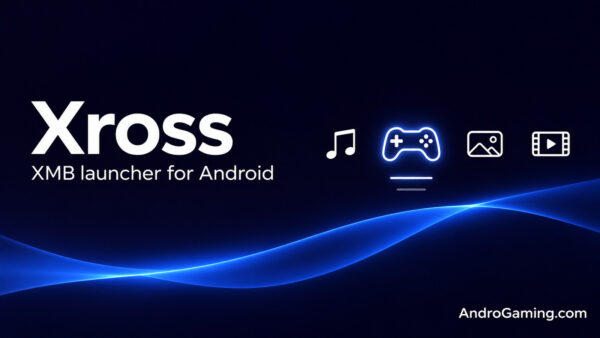
Xross gives Android handhelds a PSP-style home screen
If you can still find your way around a PSP (or PS3) without looking at the button prompts, you already know how to use Xross. Left and right switch between games, music, photos, videos and apps. Up and down take you through whatever sits under the selected icon. There’s even an animated ribbon drifting behind the menu. Xross is an independent, open-source Android launcher, but there’s no mistaking which console menu inspired it.
The idea is to give your ROM collection one place to live, even if you use a different emulator for every system. You could set DuckStation for PlayStation games, PPSSPP for PSP and RetroArch for the rest, then override that choice for an individual game. Xross handles the browsing and hands the game off to the emulator you’ve installed.
The library recognizes 22 platforms by folder name and can scan internal storage, microSD cards and USB drives. It can also identify games by their contents, including ROMs inside ZIP and 7z archives. Once the artwork is in place, highlighting a game can play a short video preview behind the list. Link a RetroAchievements account and you can see which badges you’re still missing before you launch it.
What’s in the latest beta?
In version 0.2.0.4-beta, music part gets the special attention. You can add a whole album to a playlist, mark individual tracks as favorites and shuffle the result. The playlists are ordinary .m3u8 files, so they can travel with your SD card and open in another player. The update also adds more control over how a wallpaper fits the screen. If the familiar wave feels a little too familiar, there’s already a theme with an animated ASCII black hole.
The developer has tested Xross on a Samsung Galaxy A55 and in the Android emulator, but hasn’t yet verified it on a gaming handheld or with a physical controller. D-pad navigation and per-controller button mapping are implemented, but need to be tested on real hardware.
Xross requires Android 9 or newer and a landscape screen. The APK is under 9 MB. To get started, grant storage access under Settings → Library, then use Base ROMs folder → Create system folders to set up the directories for your games. Artwork and video previews download separately.
Links
I.K.