

FlatOut 2 update fixes stuttering music and averages 52 FPS on the RG34XX-SP
FlatOut 2’s unofficial Linux handheld port has a good reason to revisit the same old race. In the developer’s one lap test, version 1.1.0 averaged 52 FPS on the Anbernic RG34XX-SP, up from 39 FPS in the previous build. The update also fixes a bug that could leave your own car silent for an entire race.
Released few days ago, badcats72’s update is a static recompilation of the PC game for ARM64 Linux handhelds. It comes in a PortMaster-style package: you supply the files from your own PC copy, and the handheld runs a native executable. There’s nothing to compile yourself. The maintainer credits Claude with writing the port code and describes their own role as testing on real hardware, analysing the results and proposing changes.
How much faster is it?
The developer used the port’s own FPS counter, driving one lap with the same car on the same track in each version. Average frame rates went up on all three handhelds tested:
| Handheld | Operating system | v1.0.0 average | v1.1.0 average |
|---|---|---|---|
| Anbernic RG34XX-SP (2 GB) | Knulli | 39 FPS | 52 FPS |
| Anbernic RG351P | dArkOS | 26 FPS | 33 FPS |
| GKD Pixel II | ROCKNIX | 25 FPS | 36 FPS |
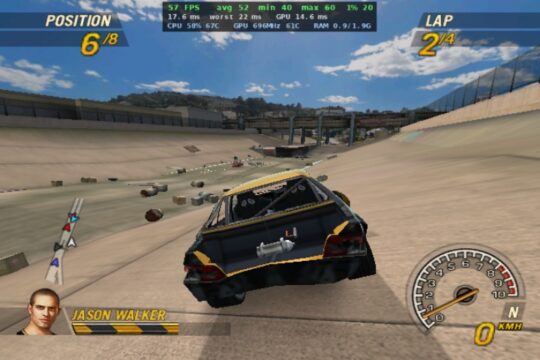
There’s a catch when reading those numbers. The old version capped the RG351P and GKD Pixel II at 30 FPS, so their gains reflect both the optimizations and the higher ceiling. The RG351P runs also used two different units of the same model. On the RG34XX-SP, the average rose by 13 FPS, but the reported 1% low actually fell from 23 to 20 FPS. Expect a faster lap overall, with room for the occasional hitch.
Fewer interruptions
The renderer now skips pixels hidden behind other objects, and the update improves graphics driver stalls and shader compilation during races. The first race after installing or updating can still hitch briefly while the shader cache fills.
The sound engine now runs on separate CPU cores, addressing the music stutter reported by an R50S owner. Ambient sounds and effects should also stop doubling up or cutting out under load. Short gaps in the music can still occur on loading screens, and big pile-ups can briefly slow down RK3326 handhelds. Multiplayer remains unavailable, including the LAN option visible in the menu.
Installing or updating
For a fresh install, extract FlatOut2-ARM64-port.zip into your ports folder. Copy the contents of your FlatOut 2 PC installation into ports/flatout2/gamedata/, then launch the game from the Ports menu. Allow about 3 GB for the game files.
The launcher specifically checks for the GOG / Zoom Platform v2.1.0.9 executable. If it rejects your copy, the expected MD5 for FlatOut2.exe is 1f8cae2b47276ca134750ba438aa35ca.
Already running v1.0.0? Leave your game files and saves in place. Replace ports/flatout2/fo2.aarch64, copy the new FlatOut 2.sh into ports, and remove the old RK3326 and H700 launchers. The single launcher now caps the game at 60 FPS. If you preferred playing at 30, add FO2_CAP=30 to ports/flatout2/fo2.env.
Links
D.B.