
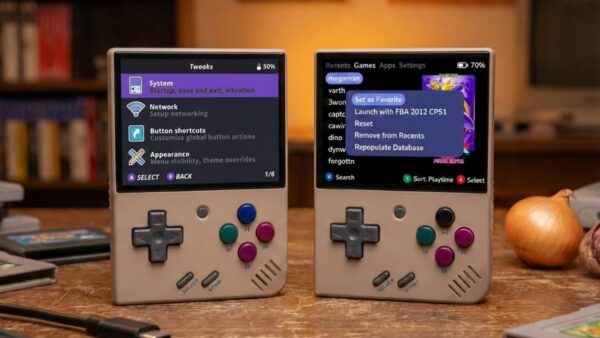
Allium OS for Miyoo Mini series
I remember that old thrill of swapping CF cards on my first retro handheld, the anticipation of whether this firmware was “the one.” These days, if you’re into the Miyoo Mini or its bigger sibling the Mini Plus (or even the oddball cousin, the Flip) there’s a fresh choice in town alongside the ever popular Onion OS, or the less known MyMinUI. Something called Allium OS.
What Allium OS
Allium OS is not a full rewrite of the handheld’s firmware. It is a custom launcher and OS replacement you load on your SD card to replace the stock UI and act as an alternative to Onion OS and MiniUI. It is built to be fast, clean and easy to live with, focusing on a minimalist game list, box art support and snappy.
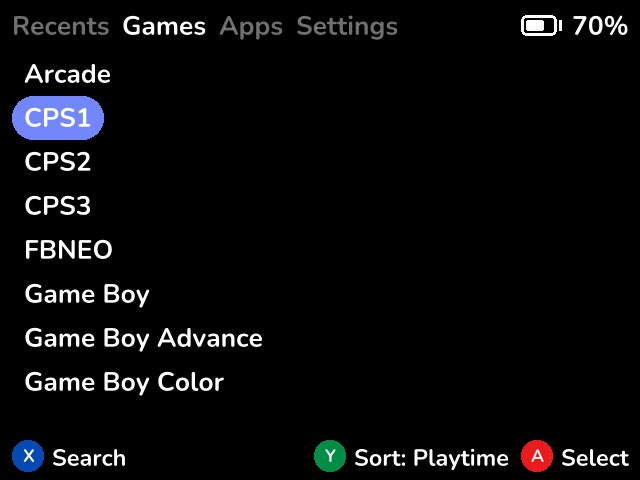
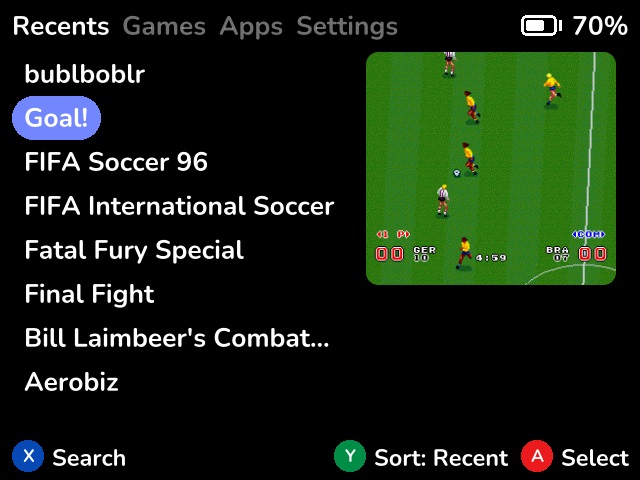
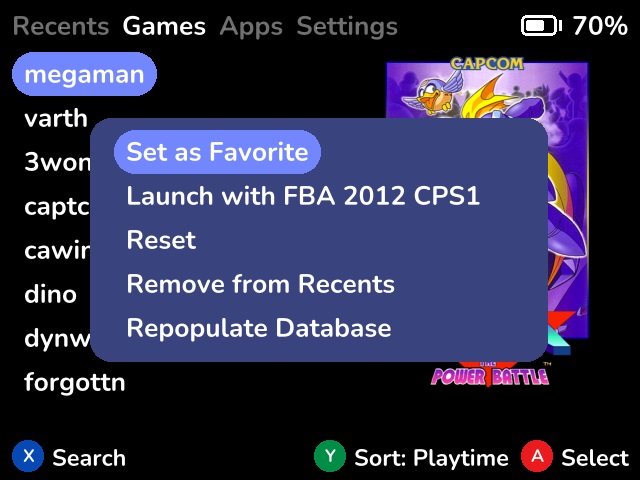
Under the hood, Allium leans heavily on RetroArch as its emulation backend, which means most cores you actually care about are ready from the start. It feels intentionally lightweight, designed for people who want to get into a game quickly without digging through layers of menus.
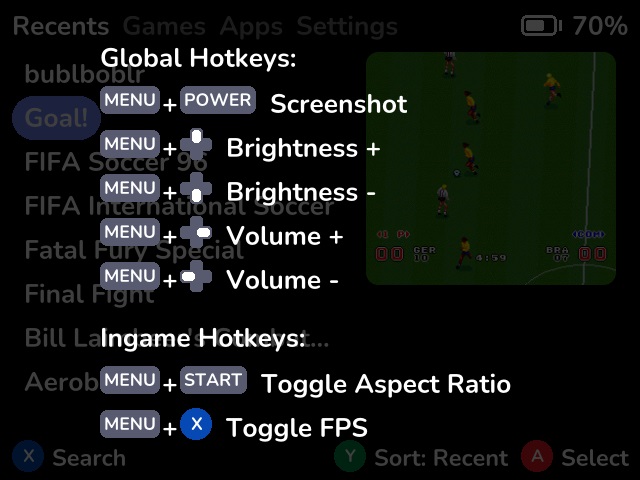
Allium OS has boxart and metadata support, nested folders for games, favorites and recent play sorting, quick access to volume and brightness controls, in-game menus for save and load states and automatic suspend and resume when you power the device off and on.
One of my favorite little touches is the ability to attach a simple text guide to each game and open it directly from the menu. It sounds small, but if you ever played adventure games with a walkthrough open on a second screen, you know the feeling.
Onion OS, the Old Faithful
If you have spent more than five minutes reading about the Miyoo Mini, you already know Onion OS. This is the custom firmware that defined what these little handhelds could be. Polished menus, neatly organized libraries by system, solid save state handling and a huge amount of customization options.
Onion OS feels like a complete operating system rather than just a launcher. It offers deep theming support, sound packs, emulator tweaks and a very mature setup process thanks to its large and active community.
Its biggest strength is consistency. Once it is set up, everything behaves predictably. Games resume where you left off, menus feel familiar and almost every problem you run into has already been solved by someone else.
Allium OS vs Onion OS
I’ll be very blunt here. The Allium OS project has great potential, but the reality is that the software is still in its infancy. I tested version 0.29.0 from November 4, 2025, and it shows that quite a lot of features are missing. I also experienced some menu lag that I have not noticed in Onion OS.
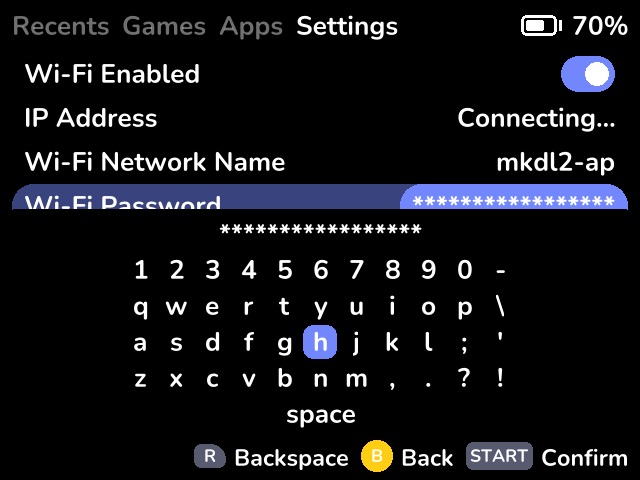
This caused a problem when I tried entering my WiFi password, which is 12 characters long. Since the menu hides the input and only shows asterisks, I constantly missed a character or two and could not see which one was wrong. On top of that (weirdly enough), you can’t browse for your WiFi network, instead you must input the right SSID manually. Nevertheless, after a couple of tries, I got it right.
You should note that it is wise to do all your scraping prior to installing Allium OS. In fact, if you already had your ROM folders scraped in Onion OS, they should transfer over just fine, because as of now Allium OS has no built-in scraper.
One other essential feature that is missing for me is the on-screen display. This means you cannot see your volume or brightness level, which is annoying to say the least. Luckily, this is already on the roadmap for future updates, so hopefully it will be added sooner rather than later.
Now a Word or Two About the Positive Things
Game menus are simple and fast. Scrolling through your games feels snappy, the menu trigger works as intended and the overall navigation feels good. The search function works properly, and box art displays correctly if you already have the snapshots.
Since the Miyoo Mini has no real standby option, every time you finish playing you are essentially turning off the entire system. The next time you power it on, it boots from scratch. This is where Allium OS has an advantage. Because of its lightweight interface and lack of bloat, it boots quickly and remembers where you left off in your game without requiring you to manually load a save.
And that is about it. I am glad we have a few solid community choices when it comes to Miyoo Mini’s operating systems, but I also feel that Allium OS is not quite there yet. Hopefully it will get there, as development is still ongoing and the planned features include almost everything I criticized here.
Sadly, it is highly unlikely that we will ever see full graphical achievement support beyond simple toast notifications. That is not Allium’s fault, but rather a hardware limitation of the Miyoo devices (missing GPU chip and all that mumbo-jumbo). I am looking forward to the next version of Allium and hope to see a 1.0 release in the foreseeable future.
Planned Features
(roughly in order of priority)
- Metadata/box art scraper
- Activity tracker
- Track play sessions using RTC
- Battery history
- UI improvements:
- Folder icon
- Volume indicator
- Brightness indicator
- Error toast (e.g. no core found for game)
- Seamless netplay from ingame menu
Download AlliumOS directly from GitHub
Dejan B.
Discover more from AndroGaming.com
Subscribe to get the latest posts sent to your email.